

SHOP NOW
💰 Price (latest available)
- Around $344 – $349 USD (typical retail price)
- That equals roughly:
- PKR 95,000 – 100,000 (approx, depending on exchange rate & import costs)
🛒 Product example
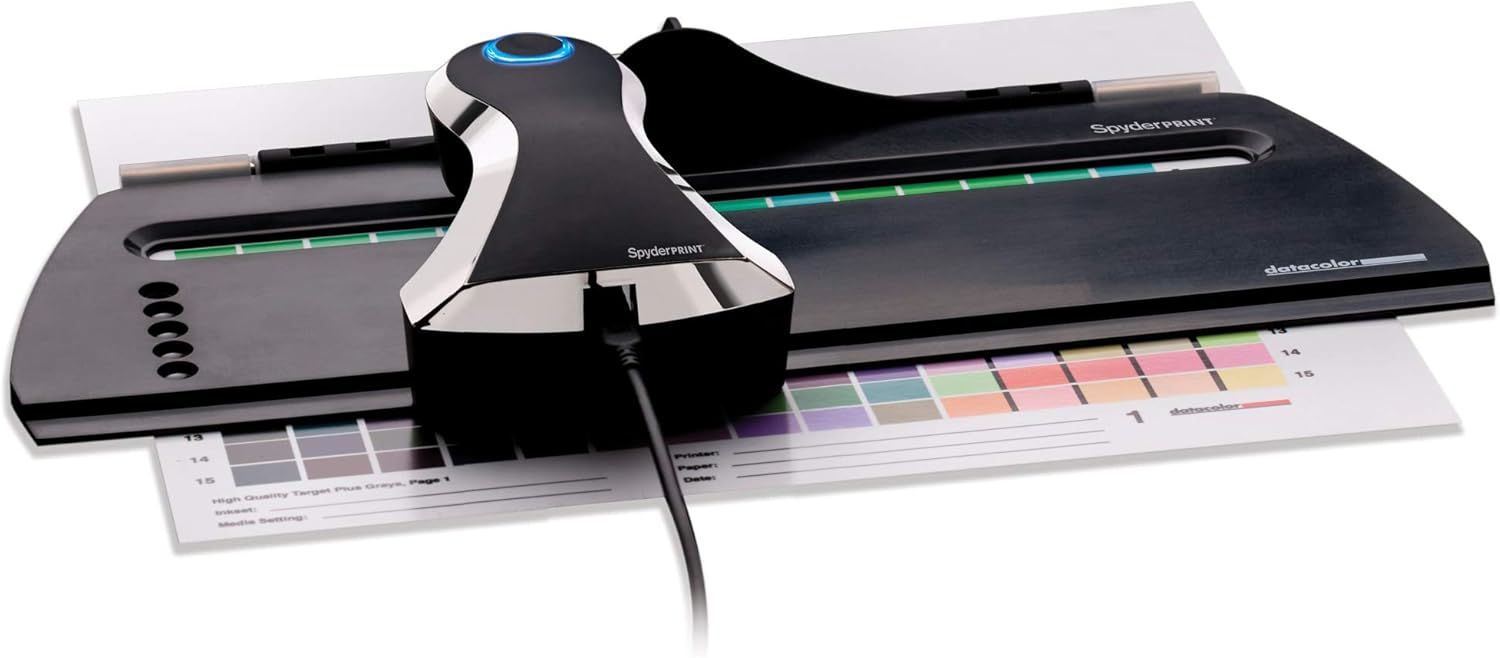
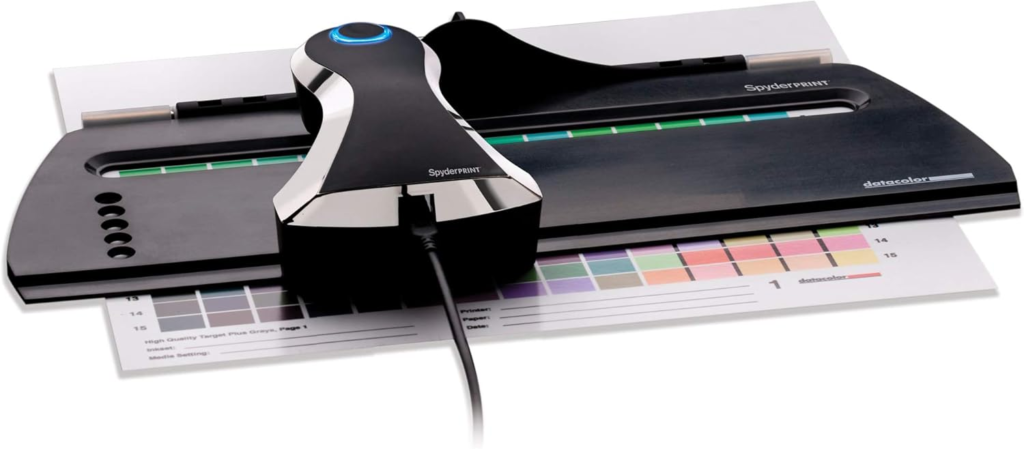
Datacolor Spyder Print Calibration Tool
📊 Price notes
- Lowest tracked price: about $344
- Average price: about $346–347
- Prices vary depending on:
- Seller (Amazon, B&H, etc.)
- Shipping/import duties (important in Pakistan)
- Bundle vs standalone version
📦 Related bundle (for context)
- The Spyder Print Studio kit (includes monitor + print tools) costs about $399–$499 USD
🧠 Quick insight
This device is a professional calibration tool used to create ICC profiles for printers, inks, and papers, ensuring your printed colors match what you see on screen .
$344.00
🏷️ About the Brand: Datacolor
Datacolor is a well-established global company that specializes in color management technology—the science of measuring, controlling, and reproducing accurate colors across devices like cameras, monitors, and printers.
🏢 Company Overview
- Founded: 1970 in Switzerland
- Headquarters: Rotkreuz, Switzerland
- Global presence: Operates in 100+ countries
- Industry role: Considered a leader in color management solutions
Datacolor provides:
- Hardware devices (like Spyder tools)
- Software for calibration & profiling
- Services for industries like photography, printing, textiles, automotive, and more
🎯 What the Brand Is Known For
- Ensuring accurate color reproduction (“get color right” philosophy)
- Supporting photographers, designers, and printing professionals
- Combining science + creative workflows (from capture → editing → printing)
Their tools are widely used by:
- Creative professionals (photographers, videographers)
- Manufacturers and global brands
- Printing and packaging industries
🕷️ About the “Spyder” Product Line
- Introduced about 25 years ago and became a standard in digital photography workflows
- Designed for:
- Monitor calibration
- Print profiling (like Spyder Print)
- Camera color accuracy tools
- Known for the concept:
👉 “True Color In. True Color Out.”
The Spyder ecosystem helps ensure that:
- What you see on screen
- Matches what you print
🧠 Simple Explanation
Think of Datacolor as a company that makes tools so:
🎨 “The color you see is the color you get”—across cameras, screens, and printers.
👍 Reputation (Realistic View)
- ✔️ Strong reputation in professional color calibration
- ✔️ Long history (50+ years) and global adoption
- ✔️ Widely trusted in photography/design workflows
But like any brand:
- Some users compare it with competitors like X-Rite/Calibrite
- Preferences depend on workflow, budget, and software ecosystem
✅ Bottom line
Datacolor is a trusted, professional-grade brand in color accuracy tools, and the Spyder Print device you asked about is part of their high-end calibration ecosystem for precise print results.
About this item
🖨️ Datacolor Spyder Print — Product Overview
Datacolor Spyder Print Calibration Tool
The Datacolor Spyder Print is a professional-grade print calibration system designed to ensure that the colors you see on your screen match exactly what comes out of your printer. It’s widely used by photographers, graphic designers, and printing professionals who require precise and consistent color reproduction.
🎯 What It Does
At its core, Spyder Print works by:
- Measuring printed color samples (color patches)
- Analyzing differences between expected vs actual colors
- Creating a custom ICC color profile for your printer, ink, and paper combination
This process allows your printer to reproduce images with true-to-life color accuracy, reducing guesswork and reprints.
🔑 Key Features
🎨 1. Custom Printer Profiling
- Builds unique profiles for each combination of:
- Printer
- Ink
- Paper
- Ensures highly accurate color output tailored to your setup
⚙️ 2. Advanced Color Control & Editing
- Fine-tune:
- Brightness, contrast, saturation
- Color balance and tonal range
- Includes proprietary tools like PreciseLight™ adjustments for deeper control
⚡ 3. Fast & Efficient Calibration
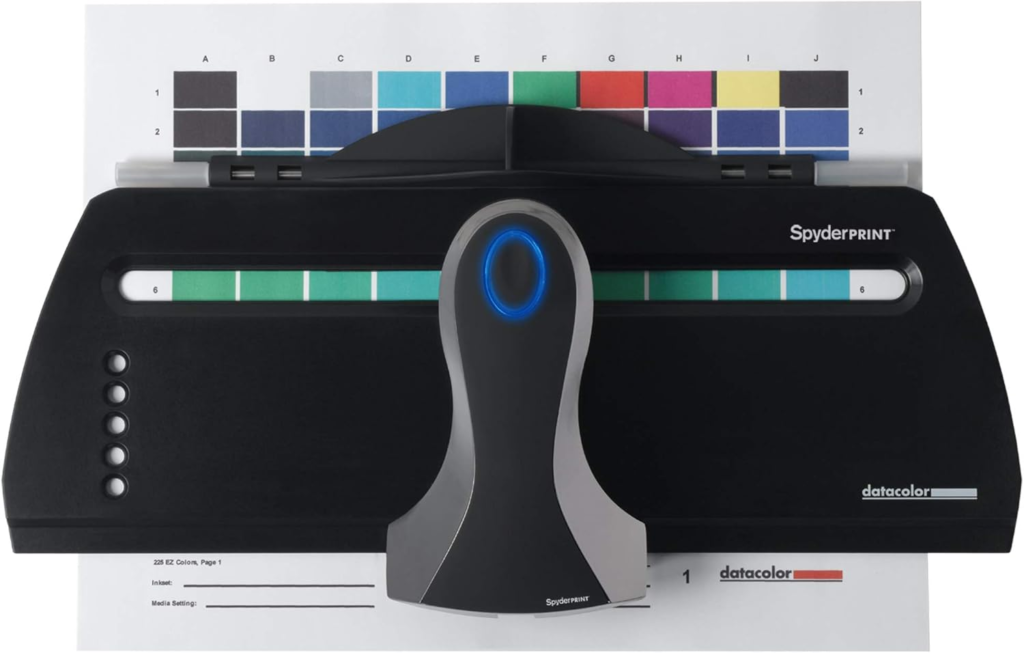
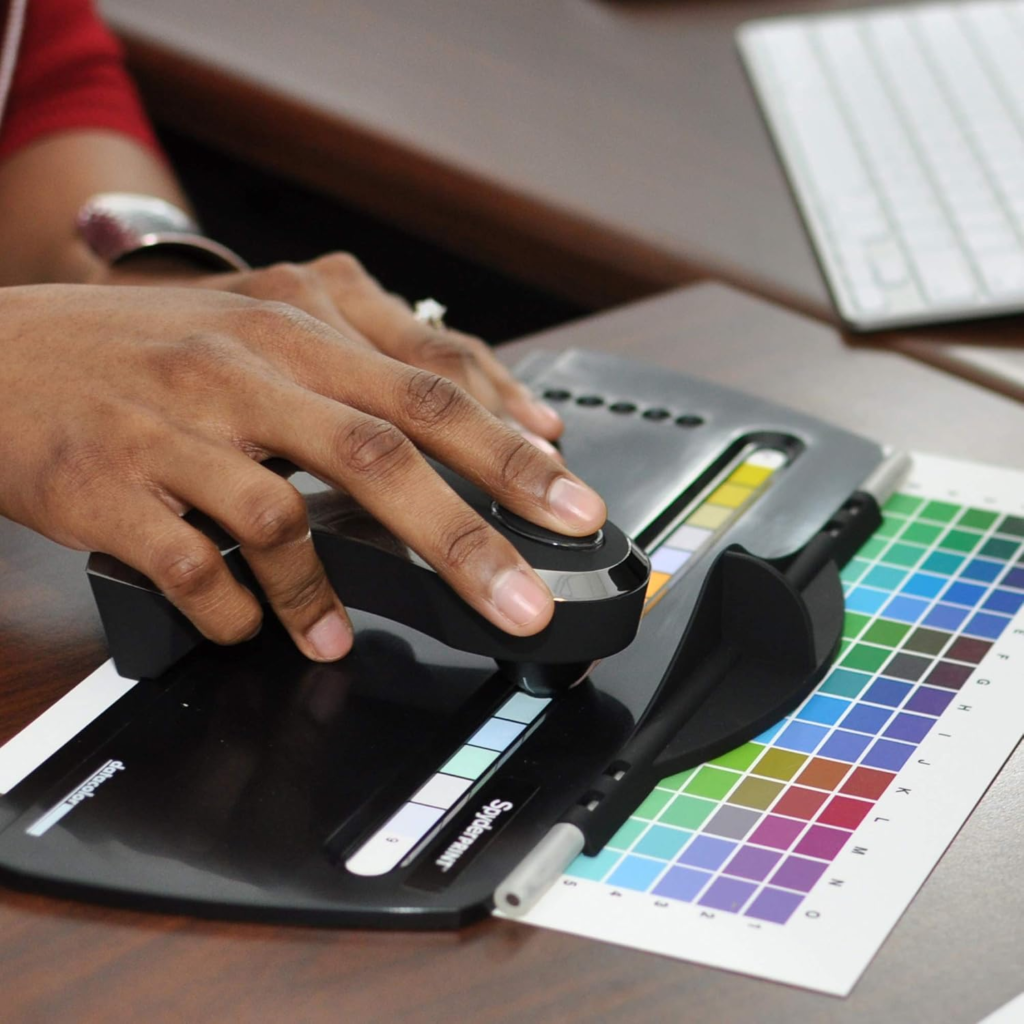
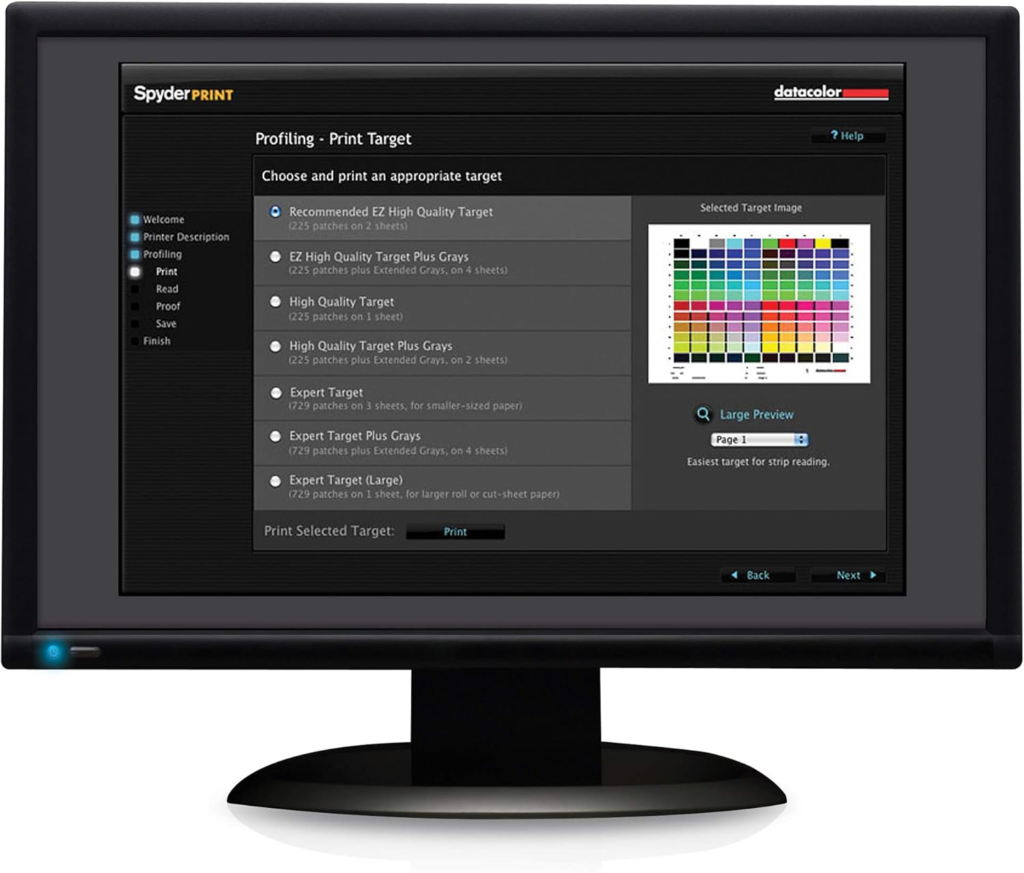
- Uses a strip-reading system to scan multiple color patches quickly
- Profiles can be created in minutes depending on complexity
🧪 4. High-Level Accuracy
- Supports 225 to 729 color patches for detailed calibration
- Delivers professional-grade precision for print workflows
🖥️ 5. Screen-to-Print Matching
- Helps ensure:
- What you see on your monitor
- Matches what you print
- Works best when combined with monitor calibration tools
🔍 6. Soft Proofing (SpyderProof)
- Lets you preview how prints will look before printing
- Helps reduce:
- Ink waste
- Paper waste
- Trial-and-error printing
📦 What’s Included
- Spectrocolorimeter device
- Base and scanning guide
- USB cable
- Spyder Print software
- Quick start guide
👨💻 Who It’s For
This tool is ideal for:
- 📸 Professional photographers (fine art, studio, landscape)
- 🎨 Graphic designers & digital artists
- 🖨️ Print studios & professionals
- Anyone needing consistent, color-accurate prints
✅ Benefits
- ✔️ Eliminates color mismatch between screen and print
- ✔️ Saves money by reducing reprints
- ✔️ Improves workflow efficiency
- ✔️ Delivers consistent, repeatable results
⚠️ Things to Keep in Mind
- Requires some learning curve if you’re new to color management
- Works best when paired with a calibrated monitor
- More suited for serious users than casual printing
🧠 Simple Explanation
Think of Spyder Print as:
🧪 A “color translator” that teaches your printer how to print exactly what your screen shows.
🏁 Final Verdict
The Datacolor Spyder Print is a powerful, professional calibration tool that gives you full control over print color accuracy. If your work depends on color precision, it’s a worthwhile investment—especially for photography and design workflows.
Datacolor Spyder Print — The Key to Perfect Color Accuracy in Printing
In the world of digital imaging and professional printing, achieving accurate and consistent color reproduction is one of the biggest challenges. What you see on your screen often doesn’t match what comes out of your printer. This mismatch can lead to wasted time, materials, and frustration—especially for photographers and designers who depend on precision. This is where the Datacolor Spyder Print becomes an essential tool.
Understanding the Need for Print Calibration
Modern workflows involve multiple devices—cameras, monitors, and printers—all interpreting color differently. Without proper calibration, even the most carefully edited image can lose its intended look when printed. Slight shifts in tone, brightness, or color balance can dramatically affect the final result.
The Spyder Print addresses this issue by acting as a bridge between digital and physical output. It ensures that your printer produces colors that accurately reflect your creative intent.
What Is Datacolor Spyder Print?
The Spyder Print is a spectrocolorimeter-based calibration system developed by Datacolor. It measures printed color samples and creates custom profiles that guide your printer in reproducing colors more accurately.
Unlike generic printer settings, this tool builds precise ICC profiles tailored to your specific combination of printer, ink, and paper. The result is a highly personalized calibration system that delivers consistent, repeatable results.
How It Works
The calibration process is both scientific and practical:
- The software generates a set of color patches for printing.
- These patches are printed using your printer and chosen materials.
- The Spyder device scans and analyzes the printed colors.
- Based on this data, the software creates a custom color profile.
Once applied, this profile ensures that your future prints closely match what you see on your calibrated monitor.
Key Features and Capabilities
Precision Color Profiling
The Spyder Print can analyze hundreds of color patches, allowing for highly detailed calibration. This level of precision is particularly valuable for professionals working with subtle gradients and complex tones.
Advanced Color Controls
Users can fine-tune brightness, contrast, saturation, and color balance. This flexibility enables creative professionals to maintain control over their artistic vision throughout the printing process.
Efficient Workflow
Thanks to its strip-reading system, the device can scan multiple color patches quickly, making the profiling process faster and more efficient than manual methods.
Soft Proofing Tools
The included software allows users to preview how an image will appear when printed. This feature reduces trial-and-error printing, saving both time and resources.
Who Should Use It?
The Spyder Print is designed for individuals and professionals who demand accuracy:
- Photographers who produce fine art or portfolio prints
- Graphic designers working on branding, packaging, or print media
- Printing professionals who require consistent output across projects
- Studios and agencies that rely on reliable color reproduction
For casual users, it may be more advanced than necessary, but for serious creators, it becomes an invaluable part of the workflow.
Benefits in Real-World Use
Using the Spyder Print can significantly improve both quality and efficiency:
- Eliminates guesswork in printing
- Reduces costly reprints and material waste
- Ensures consistency across multiple print jobs
- Enhances professional credibility through accurate output
In industries where color precision matters—such as fashion, advertising, and fine art—these benefits can make a substantial difference.
Considerations Before Buying
While powerful, the Spyder Print does come with a few considerations:
- There is a learning curve, especially for beginners unfamiliar with color management
- Best results are achieved when paired with a calibrated monitor
- It is an investment aimed at professionals rather than hobbyists
However, for those who regularly produce prints, the long-term savings and improved results often justify the cost.
Conclusion
The Datacolor Spyder Print stands out as a reliable and professional solution for achieving accurate print colors. By combining advanced data analysis with practical usability, it empowers users to take full control of their printing workflow.
In simple terms, it ensures that the colors you carefully craft on your screen are faithfully reproduced on paper. For photographers, designers, and print professionals, this level of consistency is not just helpful—it is essential.
